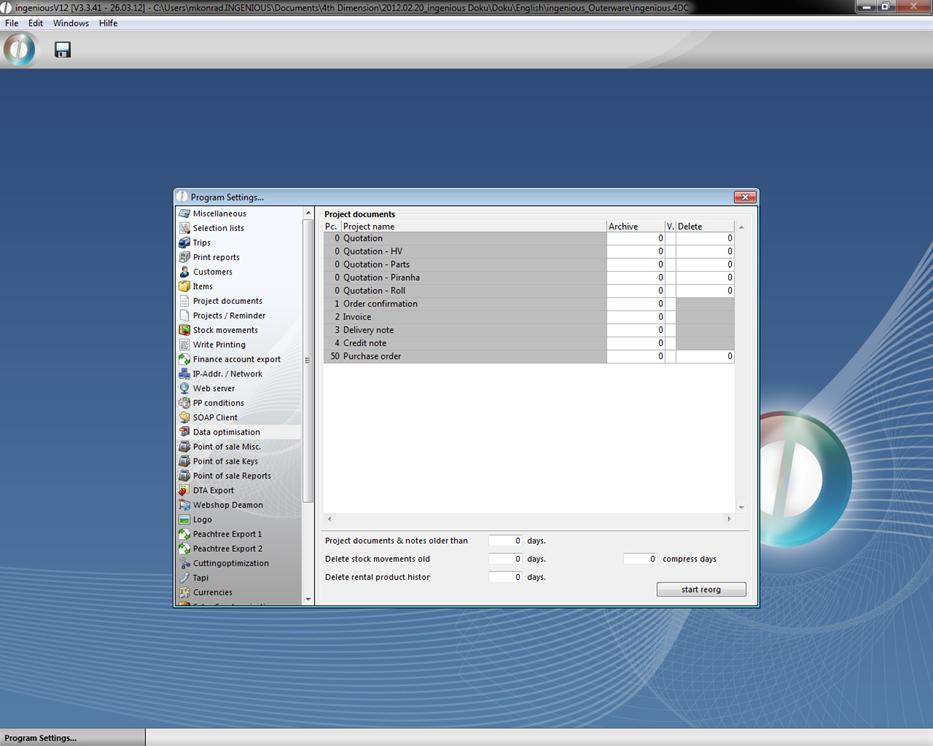
Optimization of data only becomes necessary when the database becomes enormous and thus slows down the work with Ingenious.V12. In smaller and mid-sized companies, that will take years or may occur when outdated hardware is being used, or for example after the expiration of the legal storage time. In order not to delete old and/or unused project documents, you can determine which data can automatically be deleted in one cycle by using data optimization. Carefully select the time and delete only if you are certain that the data is no longer needed. Make sure that only authorized coworkers such as management or administrators have access to the program settings. All document models are included in one list and can be used by double-clicking.
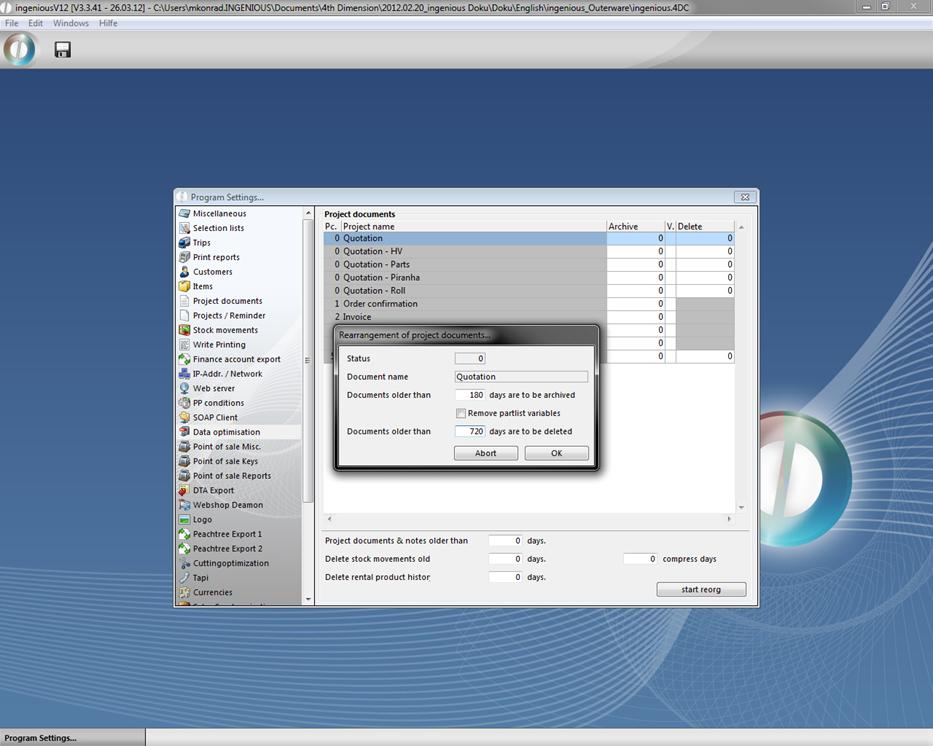
In the template that appears, enter the number of days or until how far back the documents should be archived, or when they can be deleted. Confirm with “OK”.
For safety reasons, the most important documents such as invoices should not be deleted but archived. The field for deleting is saved in grey and cannot be selected.
When you have entered the designated times for all documents and proofed them once again, click on the  button to start the reorganization. A dialogue field will prompt you to decide if you really want to delete the data. Confirm with “OK” and stop the action.